 ATS Checker
Is your résumé read correctly by recruitment software?
ATS Checker reads your résumé the way applicant tracking systems (ATS) do. You get a score, a precise list of what to fix and, if you paste a job offer, the keywords you are missing.
- Free
- 100% local
- No account
- Mac and Windows
On Windows, a warning appears: when you run the installer, Windows says “Windows protected your PC”. This is expected for this free, unsigned software. Click More info, then Run anyway. See both screens
How it works
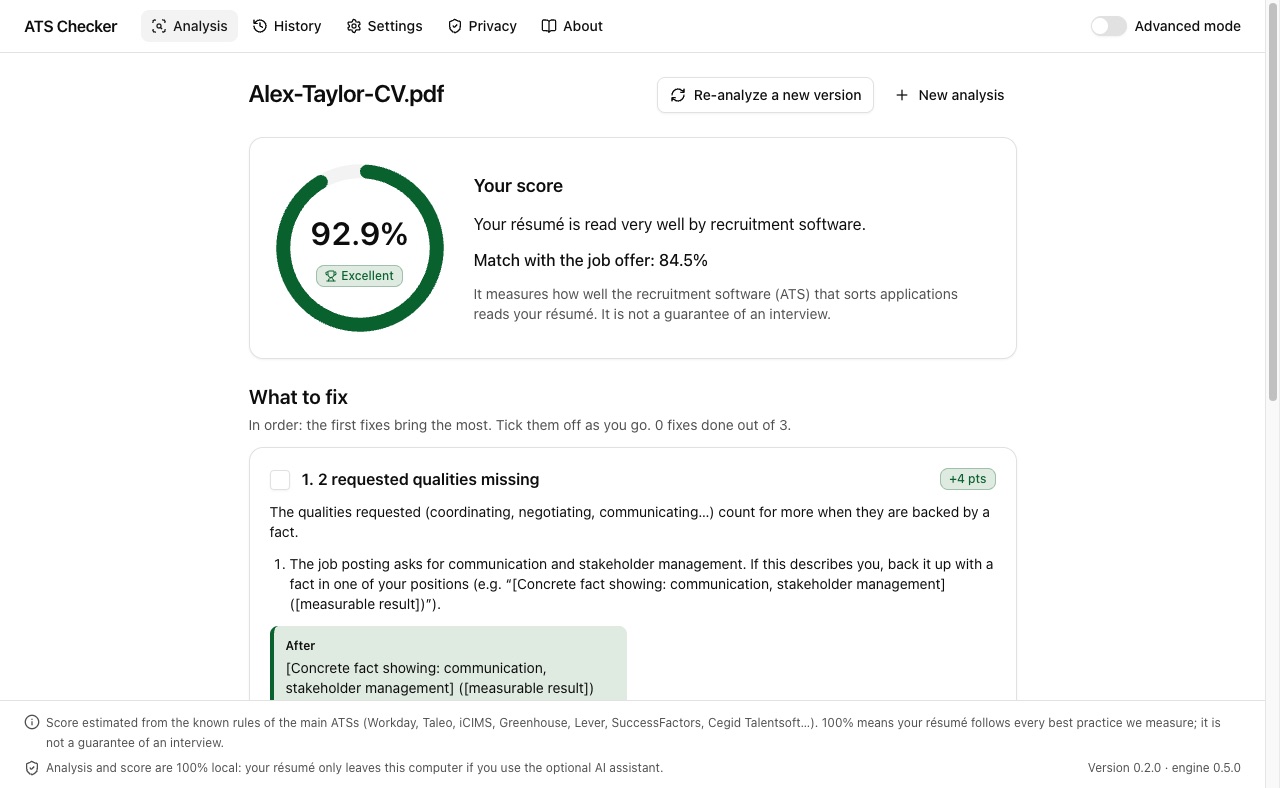
Three steps, no settings, no jargon: the app opens in standard mode, designed for everyone.
-
Drop your résumé
PDF, Word (DOCX or DOC), RTF, ODT or plain text. Even a scanned PDF is read, with character recognition.
-
Paste the job offer
Optional. The analysis then checks the keywords, the job title and the requirements: degree, years of experience, languages.
-
Follow the fixes
Ranked by importance, each with what it brings and a before → after example taken from your résumé.
What you get
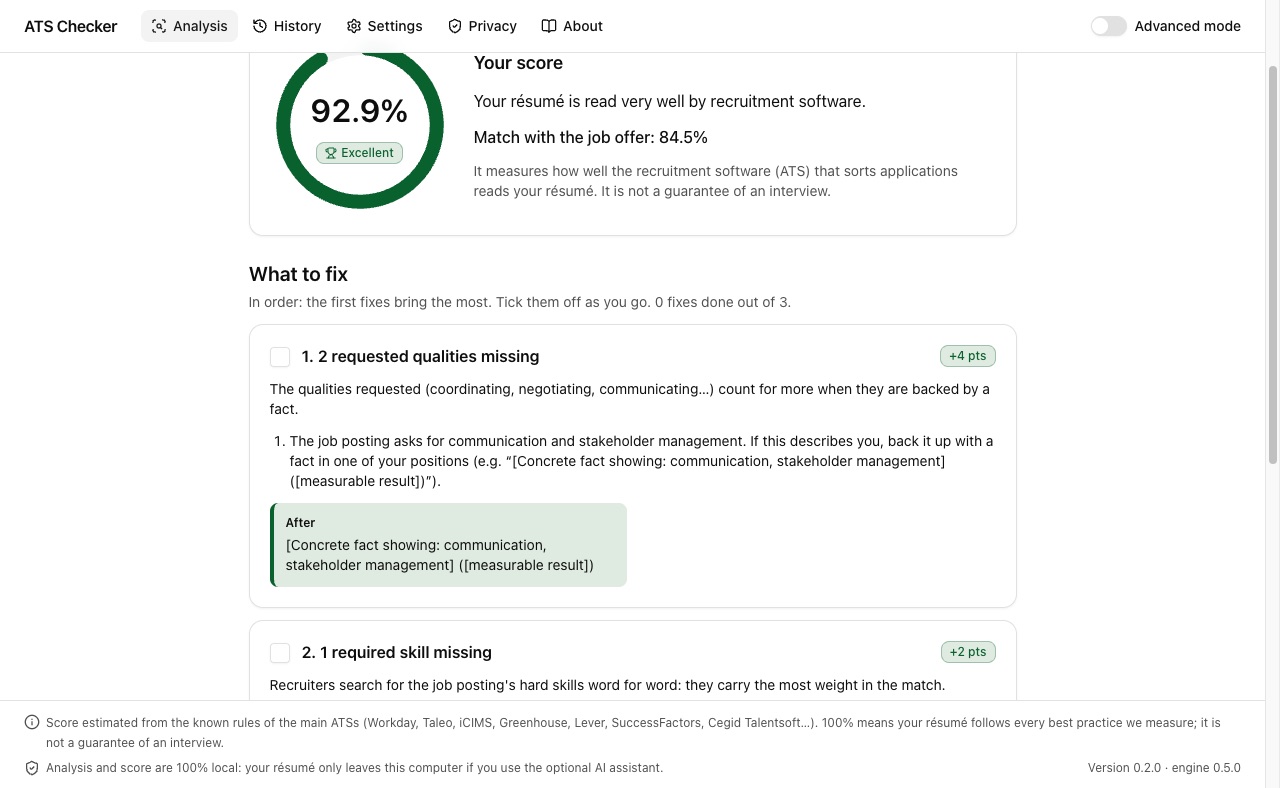
An ATS first converts your résumé into text, then splits it into fields: name, contact details, positions, dates, degrees, skills. If that reading fails, your résumé becomes hard to find. ATS Checker shows you what it sees.
- A clear score, explained in one sentence.
- What to fix, in order, with checkboxes to track your progress.
- The job offer words missing from your résumé, to add them if they truly match your experience.
- A PDF report to keep or share, and the history of your analyses.
- Re-analyze a new version to see what improved.
What an ATS reads
In advanced mode: the raw text in the order software reads it, and the extracted fields as a pre-filled form. Whatever is lost or mixed up stands out.
28 indicators
File readability, columns, tables, sections, dates, quantified results, action verbs, contact details… each with its evidence and explanation.
Optional AI assistant
With your own Claude key: it rewrites a bullet or tailors your summary to the offer, without inventing anything. You approve every suggestion.
Your résumé stays with you
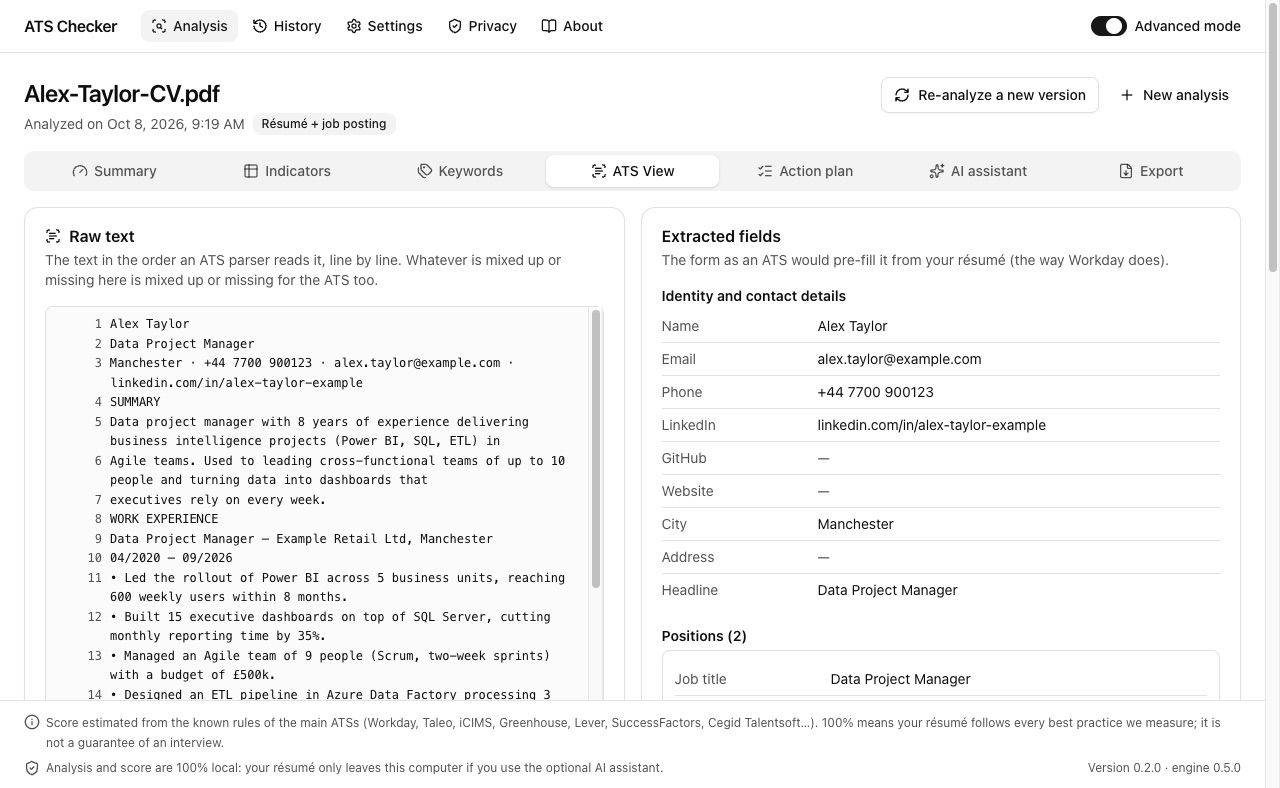
- 100% local analysis: everything happens on your computer, including reading scanned PDFs. Your résumé is not sent anywhere.
- No account, no ads, no analytics, neither in the app nor on this site.
- The AI assistant is off by default. If you turn it on with your key, only the excerpts needed go to Anthropic, after your consent, with contact details masked.
- The history can keep scores only, and clears in one click.
An honest score
There is no official “ATS score”: every company configures its software its own way. ATS Checker applies the known rules of the main systems (Workday, Taleo, iCIMS, Greenhouse, Lever, SuccessFactors, Cegid Talentsoft…).
100% means your résumé follows every best practice we measure; it is not a guarantee of an interview.
And no, “75% of résumés are rejected by robots” is not an established fact: the figure rests on no published study. ATS rank and filter; a misread résumé mostly becomes hard to find.
Installation
Free, no sign-up. Updates install over the previous version, and your history is kept.
Mac
- Download the
.dmgfile and open it. - Drag ATS Checker into the Applications folder.
- Launch it: the app is signed and notarized by Apple, it opens without a warning.
Mac with Apple silicon (M1, M2, M3, M4…), macOS 13 Ventura or later. Intel-based Macs are not supported for now.
Download for MacWindows
-
Download the
.exeinstaller. If your browser says the file is not commonly downloaded, choose to keep it. - Run it. Windows shows “Windows protected your PC”: this is expected. Click More info, then Run anyway (see the screens below).
- Follow the setup wizard.
Why this warning? The installer is not signed with a (paid) code-signing certificate. Windows then warns about any rarely downloaded program and shows “Unknown publisher”; it does not mean the file is dangerous. Only the installer is affected: once installed, the app opens normally.
Windows 10 or 11, 64-bit.
Download for WindowsWindows: get past the warning in two clicks
When you run the installer, Windows SmartScreen shows this blue window. Check that the
file is named ATS-Checker-Windows-x64-Setup.exe, then:
1 Click “More info”
2 Click “Run anyway”
SHA-256 fingerprints of version 0.2.1 (on Mac:
shasum -a 256 <file>, on Windows:
Get-FileHash <file>):
fbbf80fa3baa19af34ed55daf0769539f7eb92d8c2bc51578b4f7704b79ee58e
ATS-Checker-Windows-x64-Setup.exe
66109539dc5c418b2859f5e6109ec36e9ee263c00ac8a56066d506eb9d6c467f
Frequently asked questions
Is it really free?
Yes: no subscription, no account, no ads. Only the optional AI assistant uses your own Claude API key; that usage is then billed to you directly by Anthropic.
Is my résumé sent anywhere?
No. The analysis runs entirely on your computer. Nothing leaves without your action: only the AI assistant, if you turn it on and consent, sends excerpts to Anthropic.
Which résumé formats are supported?
PDF (text or scanned), Word (DOCX, DOC), RTF, ODT, plain text, and even a PNG or JPG image. Text PDFs and Word files are the most reliable, for ATS Checker as for recruitment software.
Which languages?
Résumés and job offers can be in French or English: the language is detected automatically. The app is available in French and English.
Does a 100% score guarantee an interview?
No. It means your résumé follows every best practice we measure to be read and found correctly. The final choice is still a recruiter's.
Does it work on an Intel-based Mac?
Not for now: the Mac version requires Apple silicon (M1 and later).
Why does Windows show a warning?
The Windows installer is not signed with a code-signing certificate, which is a paid certificate. Windows SmartScreen then warns about any rarely downloaded program: click “More info”, then “Run anyway” (see the screens). The warning comes back with each newly downloaded installer, but not when you open the installed app. The Mac version is signed and notarized by Apple.
On some Windows 11 PCs, Smart App Control is turned on. It blocks unsigned programs without offering “Run anyway”, and allows no exception for a single program: ATS Checker cannot then be installed without turning this protection off.
Simple or detailed?
The app opens in standard mode: your score and what to fix, without jargon. The “Advanced mode” switch shows every detail: indicators, keywords, the ATS view, exports and the AI assistant.